
Coders with Agents Fixing Websites

This site started in 1995 as a page of links for my students. Since then, I’ve used FrontPage, ASP.NET, SQL Server, a blogging API and Windows Live Writer to keep it going. The history of this site is the history of which tools I wanted to use with it.
In 2015 I moved to Blot because I wanted to write Markdown in whatever editor I felt like. It was a great service when I chose it and it remains so. Blot runs like the wind, and the proprietor, David Merfield, is super responsive. I was keeping my posts in a Dropbox and Blot picked up on changes to publish updates to the site. I enabled features and set styles by editing config and templates online.
However, now that I work with essentially all of the CLI coding agents via Gas City (it supports 16 as I write this), I wanted the whole website in a form that a set of agents and I could work on together. I’d prompt an agent for a change — a new feature, a template change, some CSS updates — look at the result locally and publish it when it was ready.
The result is a site built with Eleventy and hosted on Cloudflare Pages. Because David has so generously provided the Blot runtime as OSS, I was able to start my migration by self-hosting the site, checking that I got it right with pixel-by-pixel checks between the staged and the live site.
Along the way, the agents and I built our own static site generator, which made no sense to me, given the plethora of such tools already available (don’t let those agents push you around!). So I had them build the site with Hugo and with Eleventy using real pages from my blog. I picked Eleventy because it could apply Blot’s typography (small caps and hanging punctuation) as it rendered each page, so the local preview looked just like the real thing.
Once that was working and I was back in control of my site end-to-end, there were new features I wanted to build.
But first, I had three decades of tech debt to address.
Link Integrity
I’ve been handing out links to sellsbrothers.com for thirty-one years. Some of them look like /news/showTopic.aspx?ixTopic=1153 from the ASP.NET days, and I still expect them to work (along with all of the other link formats I’d supported over the years).
I also had the agents track down the 404s. Some older posts linked to 75 places on my own site that weren’t there anymore. Most of them were links to news items on the old home page that had long since scrolled off, so now they point at the actual post. A few more needed redirects for old book and feed URLs. That fixed 39 of them. The rest point at pages that were gone long before this move, like the old conference pages under /public/conference.
Chasing down dead links also turned up images that went missing from the old site. We (the agents and I) recovered several full-size originals from the Wayback Machine and other verified sources, stored them with the content and updated the posts to use the local copies. The migration left six old image URLs without a verified original. I can’t fix the entire dead web, but I can keep a few more pieces of my corner of it together.
Finally Fixing “Here”
Before the site could show the beginning of an article as its summary, I used to write a separate little post describing it, with a link labeled “Here” (itself a fix from a previous port). The description would send you to the actual article. Once automatic summaries arrived, those extra posts were unnecessary. Finding and removing them was not a problem. Forwarding the description URL to the real post was not a problem. Moving all of the Disqus comments that had collected on the descriptions… that was a problem.
I wasn’t willing to lose those comments. We saved the Disqus exports and checked which discussions belonged to which pages before changing their associations. Where the destination had no comments of its own, we could display the original discussion there. Where both pages had comments, we used Disqus’s merge process and checked the result. Some destinations needed separate discussions kept accessible rather than folded together. The source content and migration evidence stayed backed up throughout.
The descriptions turned out to hold 731 approved comments and another 37 hidden records. All 768 were preserved, including their authors, dates, replies and moderation state.
Inline HTML Style
Before I moved to Markdown for content authoring (I’m typing these words into Typora, my favorite Markdown editor ever), I wrote content in HTML using FrontPage.
While reviewing the cleanup locally, I noticed that my 2004 post about Edward Tufte used different fonts from the rest of the site. The HTML still contained <font face="Times New Roman" size="3"> and inline 12-point sizing, including inside section headings. The template couldn’t give those headings the site’s typography while the content insisted on its own.
We cleaned up the old presentation markup in the source files, keeping the words, links, anchors and meaningful formatting. That didn’t mean stripping every style attribute. Code samples, tables, diagrams and mathematical notation can have good reasons for particular formatting. We compared the content before and after, then looked at representative pages on desktop and mobile.
This is the kind of thing that has been bothering me for a decade or more, and I never found the time or energy to track it down. But agents could do all of it in minutes.
Giving It a New Look
With the old stuff fixed, I could get to the new stuff, starting with a few design updates and a couple of new features.
For example, readers can now choose their light/dark preference in the header. 30-year-old HTML made dark appearance more interesting than changing the page background; some old posts supplied their own text and table colors, which dark mode now overrides. And I made sure it looked and worked well in both light and dark mode on mobile, too.
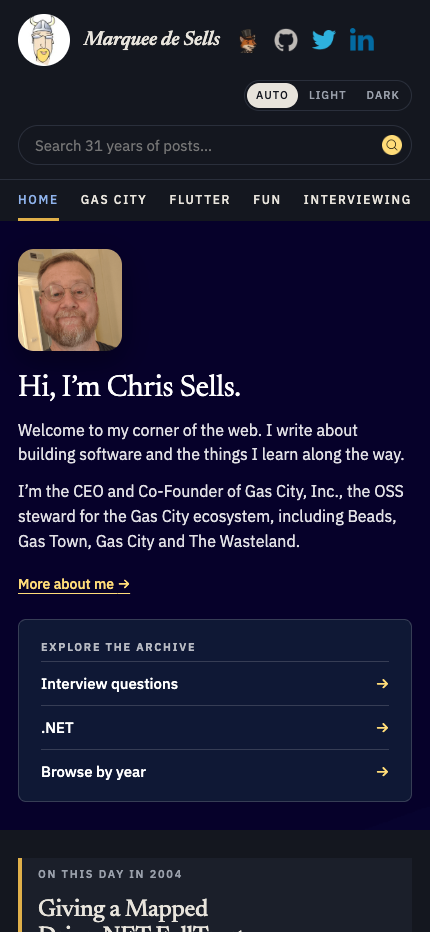
Looking through the restyled pages exposed a few things that weren’t design choices at all. Topic listings already had additional pages, but no links to get to them. Some browser tabs showed heading markup in the title, and a paragraph beside a floated image could intercept the click meant to enlarge it. We fixed those while we updated the styles.
My Own Personal Wayback Machine
After all of the work to fix all of the old posts and update the style a little, I wanted to address navigation. Scrolling through 2600+ posts stretching back to 1995 is not an ideal experience. Search helps when you remember what to ask for, but sometimes you just want to see what was going on in 2004.
So we added an archive browser. There’s a bar for every year, with the busy years easy to spot, and a button for every tag. Pick a year to see its posts, or pick a tag to follow a subject across the years. Each entry takes you to the original article. I’ve turned the site into my own personal Wayback Machine.
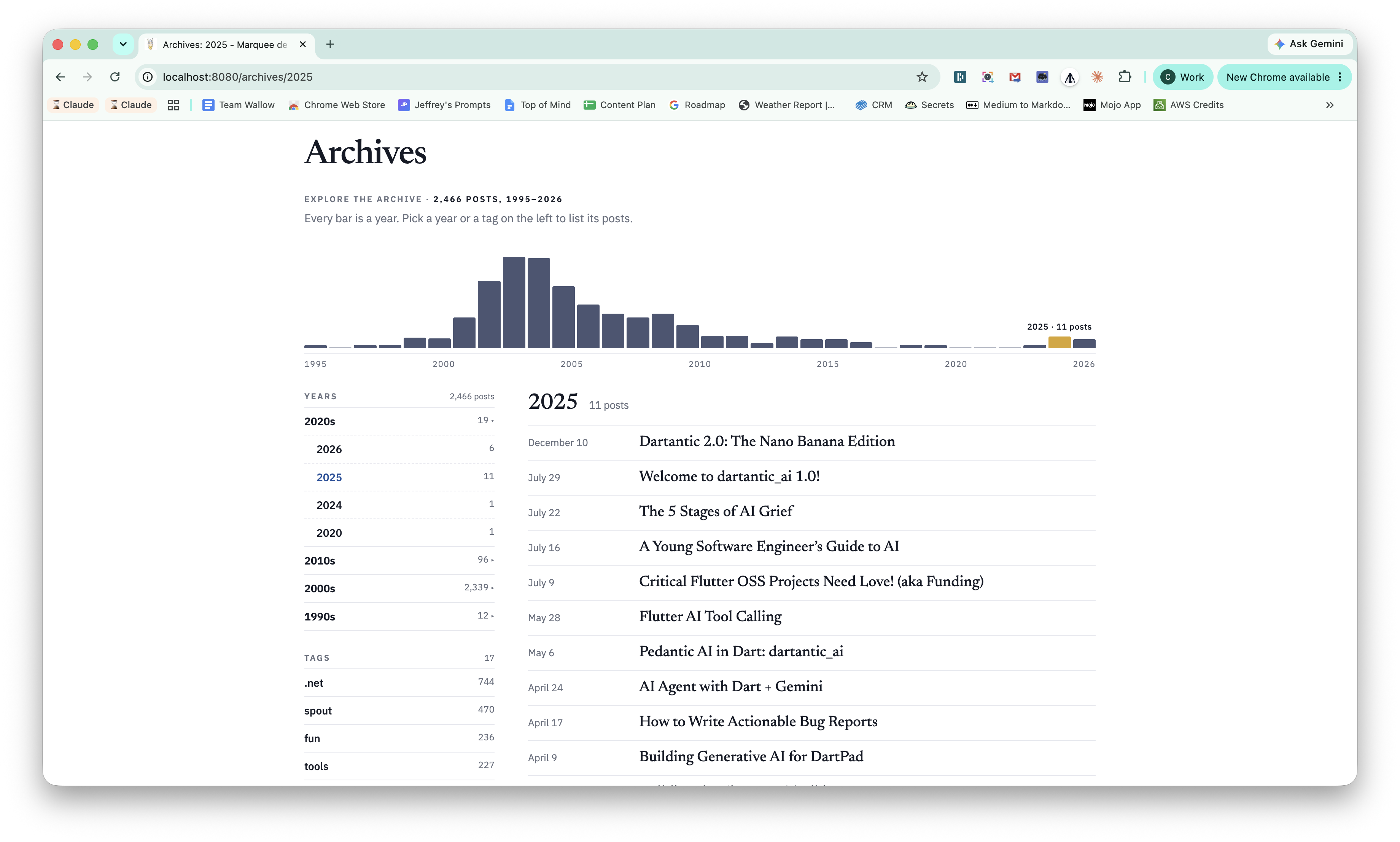
The archive also has an “All posts” view, with a way back to it from any year or tag. These are ordinary links to generated pages, so browsing doesn’t depend on JavaScript. I can send you a link to 2025, and you can open that same view directly.
Putting the tags in front of me also exposed some housekeeping. Posts about Oslo had ended up under several different tags; now they’re together. We folded “books” into “book” and made the Gas City tag consistent with the others. The old tag URLs redirect to their replacements, so tidying up the navigation didn’t break somebody’s bookmark.
And you don’t even have to go to the archives to see posts from the old days. The home page now has an “On this day” section that picks one of the posts I wrote on today’s date in an earlier year:
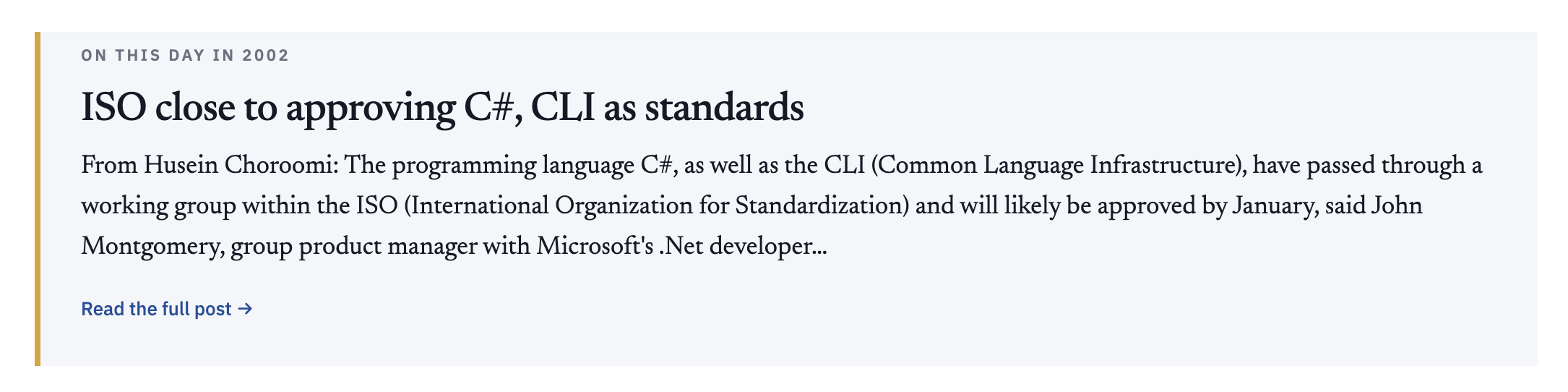
The good news is that you’ll find no postings from Christmas Day in my blog history. The bad news is that I was working pretty much every other holiday at least twice and sometimes up to 25 times (why did I post so often on Halloween?).
Books and Magazines and Podcasts, Oh My!
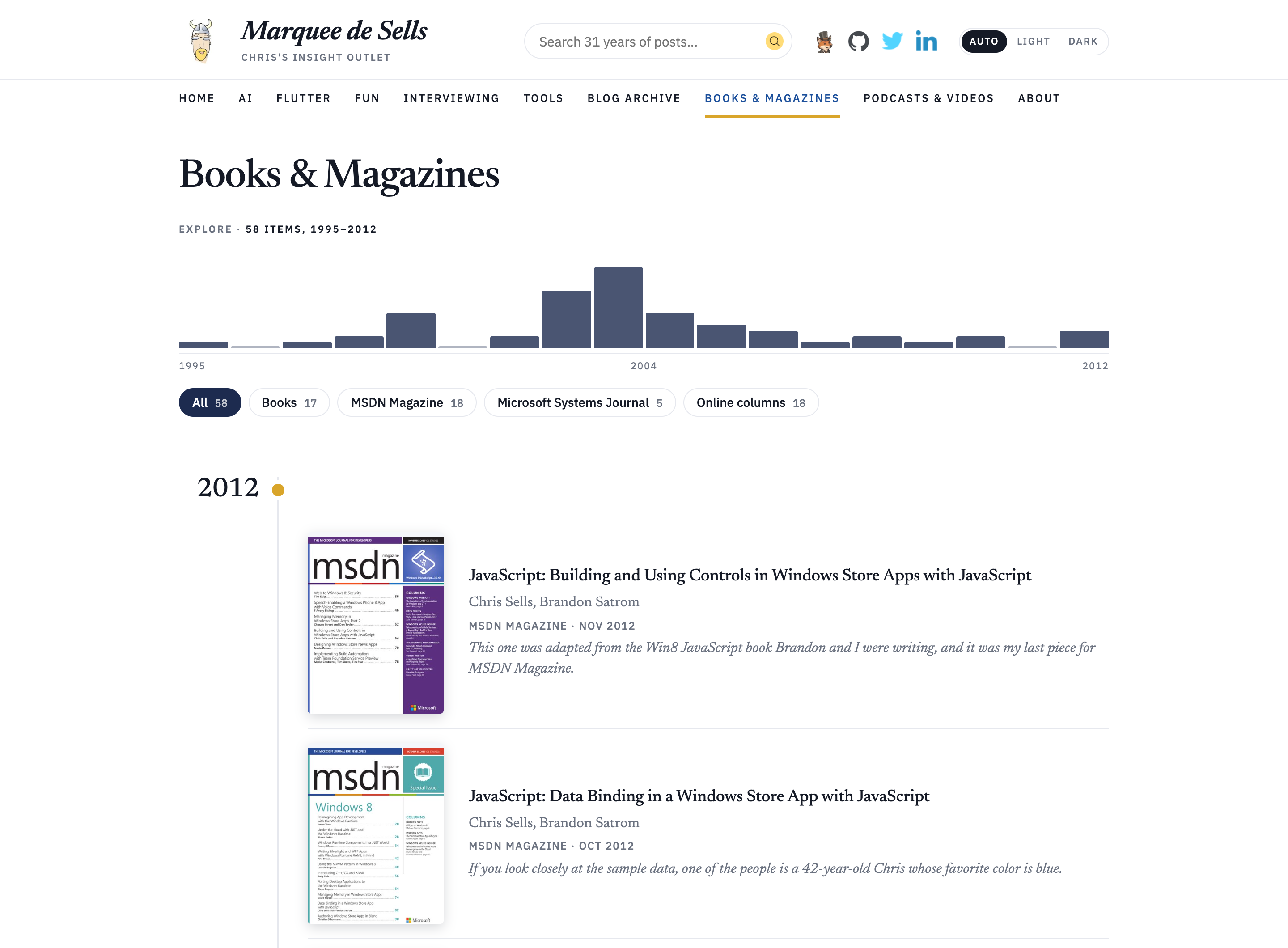
The blog is not the only place where I pontificate. The new Books & Magazines page used to be a plain list of book titles. Now it’s a timeline of my magazine articles (both online and off), including the ones Microsoft dropped and the Internet Archive kept.
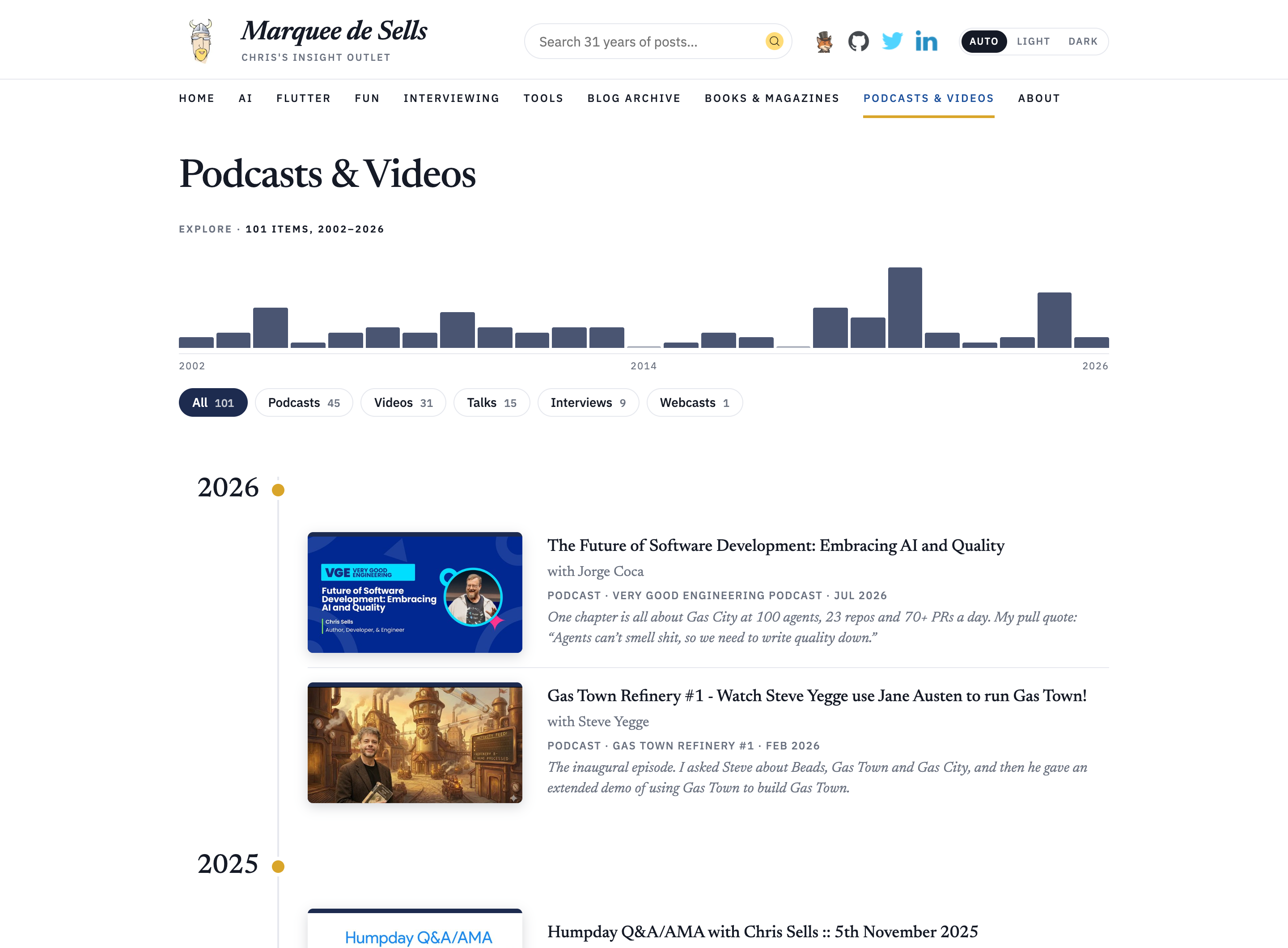
I’ve never done a good job tracking the various podcasts and video talks on the site. I enjoy the sound of my own voice, so I figured that there were a few dozen. So when the search turned up 102 results, I was skeptical. And I was right to be — the validated results listed only 101 (!). And then we found another one, so I was actually wrong. But in my heart I was right!
If you’re interested in that kind of archeology, those recordings are all on Podcasts & Videos, from calling into .NET Rocks in 2002 to talking about Gas City in 2026. Both pages have the same histogram across the top as the blog archive, plus filters, so you can zoom in on the spot in history that interests you.
Finding What I Meant
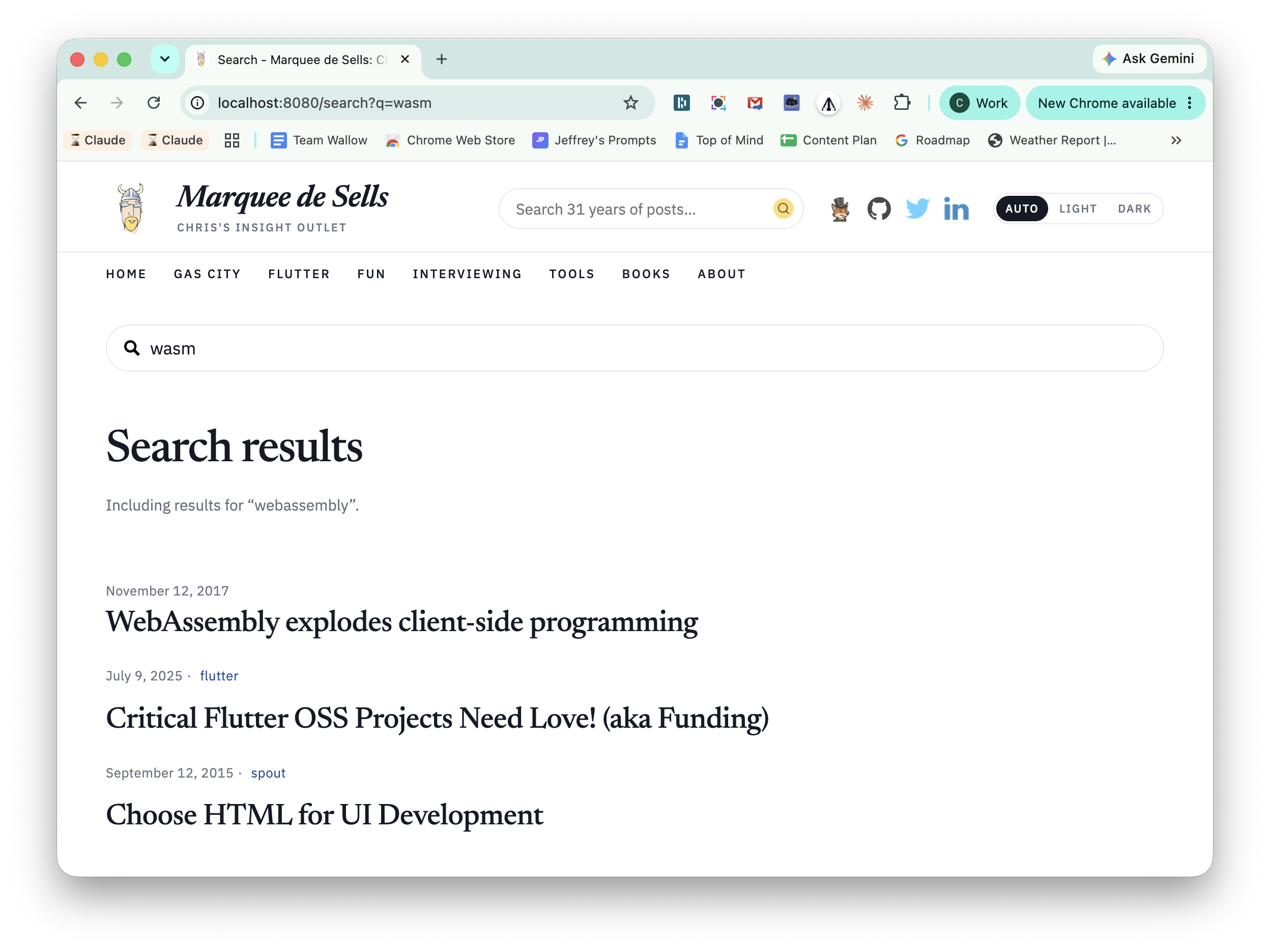
Speaking of finding the parts that interest you, I needed an improved search, which never worked very well on Blot. We did the work to make sure that a static website had dynamic search. Then I searched the live site for wasm and got nothing.
I had a post about WebAssembly, but the search didn’t know that the abbreviation meant the same thing. A sweep of 32 representative queries against a local build turned up two more gaps: misspelled short queries and standalone pages we’d deliberately left out of the index, including About and Books & Magazines.
We added a small, hand-maintained list of aliases. Searching for wasm also searches for WebAssembly; dotnet includes .NET, and winforms includes Windows Forms. Results are combined, duplicates removed, and the page tells you which alternate spelling it included. The WebAssembly post now comes first:
For misspellings, the build collects words that appear at least twice in the indexed text. When a search still finds nothing, the browser loads that vocabulary and looks for nearby spellings. A search for flutterz can offer “Did you mean flutter?” as a link, while still reporting no results for what you actually typed. Quoted queries keep their exact meaning. The old fallback could work around a bad word in a query of three or more words; this also helps with short searches.
What We Have to Work With
The content is still ordinary Markdown and HTML. Here’s the rest of it:
- Eleventy builds the site
- Pandoc renders the Markdown, including all of the HTML mixed into the old posts
- Typeset does the typography I liked from Blot
- Pagefind does the search, right in the browser
- Disqus hosts the comments
- Cloudflare Pages hosts the site, with a couple of small functions to handle old URLs like that
showTopic.aspxone
When I push to main, GitHub Actions runs the tests, builds and verifies the site, uploads it to Cloudflare and checks the result. Blot is no longer a dependency.
Where Are We?
The bulk of this work was done over a weekend. I made more fixes and added more features in that weekend than in the previous 11 years. All on a whim.
This is the way.
Feedback? Comments are open below!