DISCLAIMER: This post is targeted at the //build/ version of the Windows Developer Preview (aka Windows 8). Things are likely to change with future releases. On your head be it.
A “Windows Metro style app” is an application built for the devices running the new Windows user experience of Windows 8. A Metro style app built using JavaScript is a first class Windows application built with the technologies of the web, e.g. HTML, CSS, JavaScript, JSON, SVG, etc. Unlike a web site, a Metro JS app is not deployed page-by-page from a web server, but rather installed locally on the user’s machine. Like any other first class Windows app, a Metro JS app has access to the underlying platform and is able to share information with other apps.
Like any web site, a Metro JS app starts with an HTML file:
<!DOCTYPE html>
<html>
<head><title>Hello, Win8</title></head>
<body><h1>Hello and welcome to Metro style Win8!</h1></body>
</html>
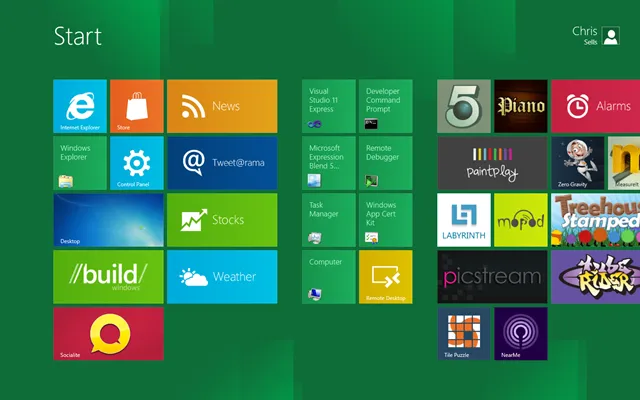
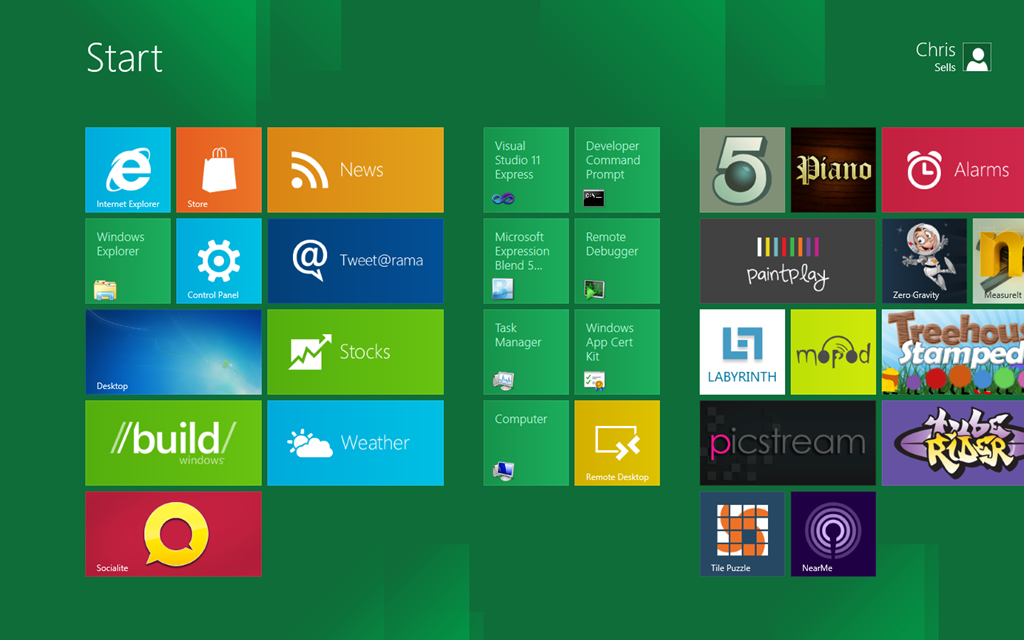
This HTML, if it were loaded in the web browser, would result in the world’s most boring web site. Also, surfing to a web page in the browser is not at all how your customers will execute a Metro style app. Instead, they’ll install it from the Windows Store and execute it from the Start Screen:

Further, a web page (or series of web pages, styles, code, resources, etc.) is not a Metro JS app. A Metro JS app includes these things, but also includes metadata and resources:
- A manifest file to describe your application, including the name, description, the start page, etc.
- A set of large and small logo images to be displayed by the shell.
- A store logo to be displayed by the Windows Store.
- A splash screen to show when your app starts.
The manifest file is an XML file called appxmanifest.xml and a minimal one looks like this:
<?xml version="1.0" encoding="utf-8"?>
<Package xmlns="http://schemas.microsoft.com/appx/2010/manifest">

  <Identity
    Name="hello"
    Version="1.0.0.0"
    Publisher="CN=Microsoft Corporation, O=Microsoft Corporation,
               L=Redmond, S=Washington, C=US" />

  <Properties>
    <DisplayName>Hello</DisplayName>
    <Description>Hello</Description>
    <PublisherDisplayName>csells</PublisherDisplayName>
    <Logo>images\storelogo.png</Logo>
  </Properties>

  <Prerequisites>
    <OSMinVersion>6.2</OSMinVersion>
    <OSMaxVersionTested>6.2</OSMaxVersionTested>
  </Prerequisites>

  <Resources>
    <Resource Language="en-US" />
  </Resources>

  <Applications>
    <Application
      Id="hello.App"
      StartPage="default.html">

      <VisualElements
        DisplayName="Hello"
        Logo="images\logo.png"
        SmallLogo="images\smalllogo.png"
        Description="Hello"
        ForegroundText="light"
        BackgroundColor="#0084FF">

        <SplashScreen Image="images\splashscreen.png" />

      </VisualElements>
    </Application>
  </Applications>

</Package>
The manifest has things in it like the name of the application, the description for the application, a reference to the images and, most importantly, the name of the HTML file that represents the app’s start page.
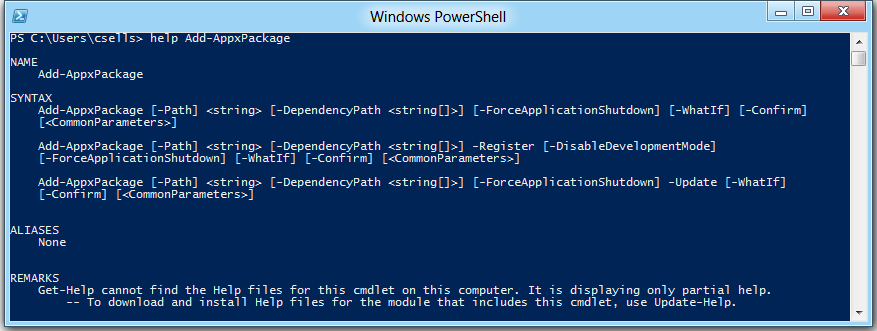
With the manifest and supporting files in place, getting your super exciting app registered with the system is a matter of starting up PowerShell (which you can do from the Start Screen by typing “powershell”), and importing the “appx” module (Figure 1).
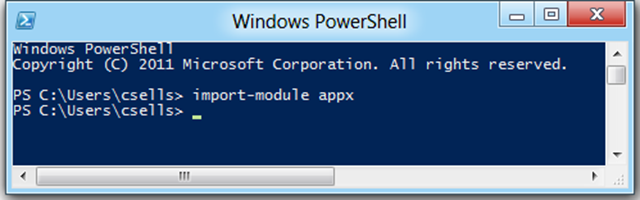
If you’re not familiar with it, Windows PowerShell is the next-gen command line shell built into Windows. Out of the Win8 box, it comes with the “appx” module, which allows you to manage the modern applications installed on your computer:
- Add-AppxPackage: install an application so that it can be launched
- Get-AppxPackage: get a list of installed applications
- Get-AppxPackageManifest: get the manifest details of an installed application
- Get-AppxLastError: get the details for the last appx-related error
- Remove-AppxPackage: uninstall an application
The “appx” part of the command names come from the packaged form of a Metro style app, which is called an “appx” after the file extension. To create one, you can use the “MakeAppx.exe” command-line tool available via the Developer Command Prompt available on the Start Screen. The job of MakeAppx.exe is to package your application, manifest and all, into a single file with a “.appx” extension. An appx file is a file in the Open Packaging Conventions (OPC) format, which essential means it’s a .zip file with a few extras. If you’re going to package and sign your application for submission into the Windows Store, you may decide to use MakeAppx.exe and SignTool.exe as part of that process.
However, to simply test an application on your developer box, Add-AppxPackage gives you all you need:
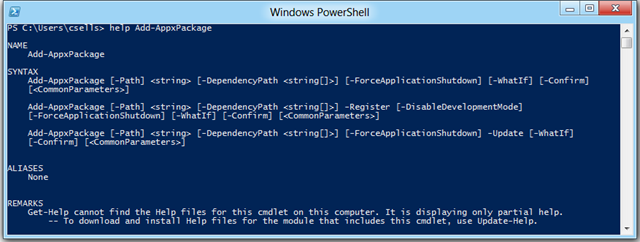
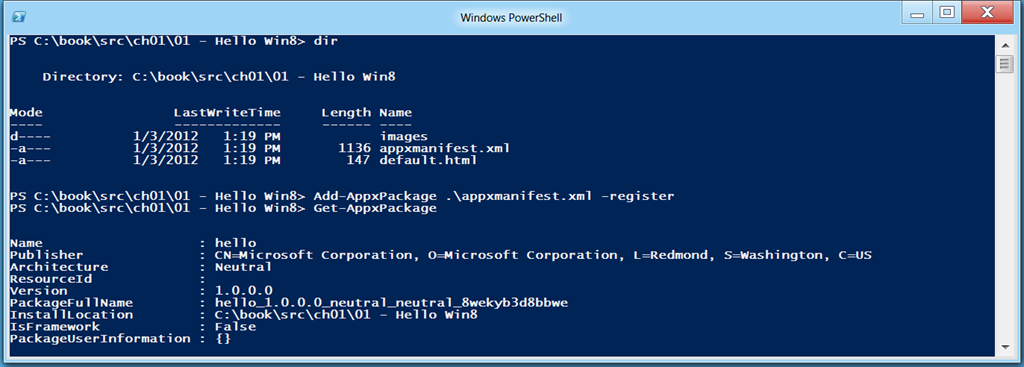
In addition to taking a path to a .appx file, the Add-AppxPackage command allows you to pass in the path to a manifest file using the -Register option, which gives you the ability to install your application for testing without going through the extra step of packaging:
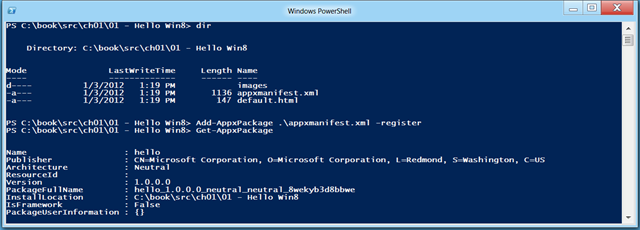
You can double-check that your application has been installed using the Get-AppxPackage command.
Once your application has been installed, you can see it in the shell:
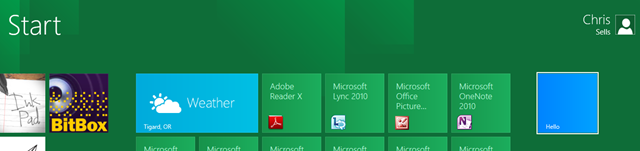
Launching it will you show the inspirational “Hello” message displayed full-screen without any Windows chrome.
Where Are We?
After seeing what files and tools used to build and install a Metro style app, you’re probably already hoping for a tool to help you create, edit, package, launch and debug. For that, we’ve got Microsoft Visual Studio 11 Express for the Windows Developer Preview (aka VS11), which we’ll talk about next time.
Portions Copyright © 2011 Microsoft Corporation. Reproduced with permission from Microsoft Corporation. All rights reserved.

 January 2, 2012
Telerik Windows 8
January 2, 2012
Telerik Windows 8


 December 13, 2011
Spout Telerik
December 13, 2011
Spout Telerik
 I have gotten to do a ton of really great things at Microsoft: