spout

December 29, 2010 spout

Enabling the Tip Calculator in Your Brain

I can’t imagine anyone reading this blog needs to read this, but I can’t help myself.

When I was just a wee lad, probably the most valuable thing I learned was how to perform mathematical estimation, the importance of which and several techniques you can get by reading Jon Bentley’s The Back of the Envelope (this essay along with several others, are collected in his most excellent books Programming Pearls and More Programming Pearls, both of which are still relevant a decade later). Not only is estimation generally quicker than running a calculator, but even when you do run a calculator, it helps you figure out when you did it wrong, the latter of which has saved my bacon time and again.

For example, as much as I love the Windows Phone 7 marketplace and it’s quality and quantity of applications, the ones that puzzle me are the tip calculator” apps (several!). I don’t understand why it’s worth the trouble of pulling out your phone and punching buttons when you can know the tip instantly.

For example, let’s assume the dinner bill is $37.42. If the service was bad, that’s a 10% tip (you have to tip them something cuz the IRS assumes you will and taxes them accordingly — bastards). So, with a 10% tip, take the bill and move it right one decimal point: $3.74. Now, round up or down depending on how bad the service was, e.g. $3.50 or $4. Quick and easy.

Assuming the service was great, that’s a 20% tip, so double the bill and move it right one decimal point, making the math easier for yourself, e.g. $37.42 is close to $35, doubling is $70, so a $7 tip. Boom: 20% tip.

If you want to get fancy and provide a 15% tip for good but not great, then average the two numbers: ($4 + $7)/2 = $5.50. Zim zam zoom.

Honestly, as great as the apps are on your phone, tablet or BlueTooth headset (seriously), think about using the apps in your head first. Now only are they quicker and cheaper, but using them staves off dementia (which is a good thing!).

Oh, and if the tip is added as a mandatory minimum, then the additional tip is easy: $0.00. I don’t deal well with authority.

October 27, 2010 spout

A Function That Forces

A Function That Forces

Far Side - Midvale School for the GiftedAt Microsoft, there’s this passive-aggressive cultural thing called a forcing function,” which, to put it crudely, is an engineering way for us to control the behavior of others. The idea is that you set up something to happen, like a meeting or an event, that will force” a person or group to do something that you want them to do.

For example, if someone won’t answer your email, you can set up a meeting on their calendar. Since Microsoft is a meeting-oriented culture (even though we all hate them), a softie will be very reticent to decline your meeting request. So, they have a choice — they can attend your meeting so that they can answer your question in person or they can answer your email and get that time back in their lives. This kind of forcing function can take larger forms as well. I can’t say that our execs make the decision like this (since they don’t talk to me : ), but it is the case that signing up a large number of Microsoft employees to host and speak at important industry events does have the effect of making us get together to ensure that our technologies and our descriptions of those technologies holds together (well, holds together better than they would otherwise : ).

Unfortunately, this way of thinking has become so much a part of me that I’ve started to use it on my family (which they very much do not like). Worse, I use it on myself.

For example, I have been holding back on half a dozen or more blog posts until I have the software set up on my newly minted web site to handle blog posts in a modern way, namely via Windows Live Writer. In other words, I was using the pressure inherent in the build up of blogging topics to motivate me to build the support I wanted into sellsbrothers.com to have a secure blogging endpoint for WLW. Before I moved all my content into a database, I could just pull up FrontPage/Expression Web and type into static HTML. Now that everything is data-driven, however, the content for my posts are just rows in a database. As much as I love SQL Server Management Studio, it doesn’t yet have HTML editing support that I consider adequate. Further, getting images into my database was very definitely a programming task not handled by existing tools that I was familiar with.

So, this is the first post using my new WLW support and I’m damn proud of it. It was work that I did with Kent Sharkey, a close friend of mine that most resembles Eeyore in temperament and facial expressions, and that just made it all the more fun!

Anyway, I’m happy with the results of my forcing function and I’ll post the code and all the details ASAP, but I just wanted to apologize for my relative silence on this blog and that things should get better RSN. XXOO.

P.S. I’m loving Windows Live Writer 11!

August 8, 2010 spout

Why can’t it all just be messages?

Why can’t it all just be messages?

My mobile device is driving me crazy.

I have an iPhone 4.0. Normally when it’s driving me crazy, it’s standard stuff like the battery life sucks or that the iOS 4.0.1 update didn’t fix the proximity detection or stop emails I send via Exchange from just disappearing into the ether.

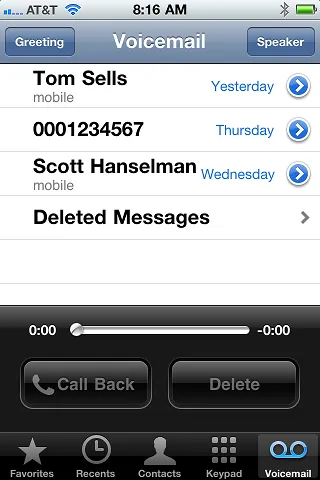
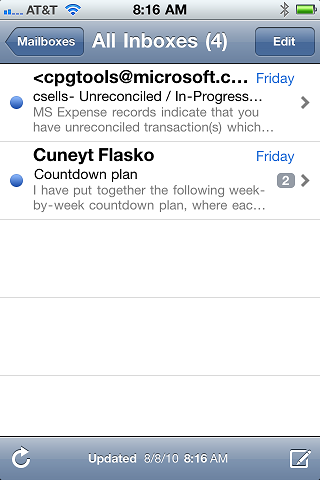
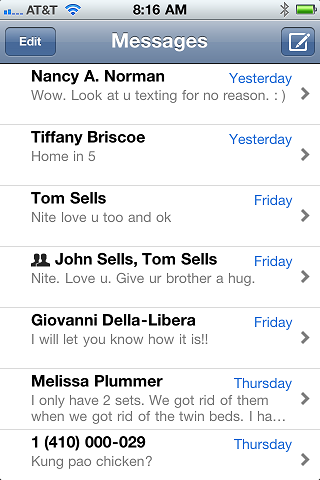
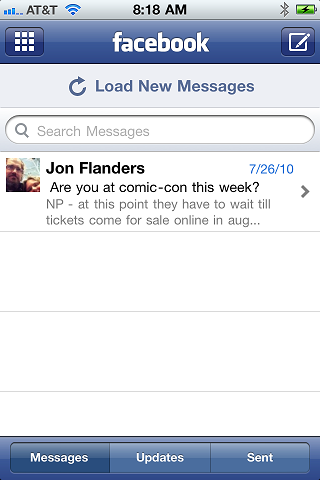
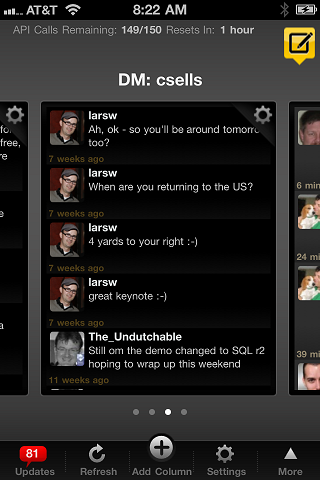
This time, it’s something else and I can’t blame the iPhone; I think all modern smart phones have the same problem. The problem is that I constantly have to switch between apps to see my messages. Here are screenshots for 5 of the messaging clients I use reguarly:

Voicemail Exchange Email SMS/MMS Facebook Twitter

This list doesn’t include real-time messages like IM, or notifications like Twitter or RSS. I’m just talking about plain ol’ async messaging. We used to think of it as email,” but really voicemail, email, SMS, MMS, Facebook messages and Twitter Direct Messages are all the same — they are meant to queue up until you get to them.

Now, some folks would argue that SMS/MMS aren’t meant to be queued; they’re meant to be seen and handled immediately. Personally, I find it annoying that there is a pop-up for every single text or media messages I get on my phone and there seems to be no way to turn that off. On the other hand, if I want that to happen for other types of messages, e.g. voicemail, I can find no way to turn it on even if I want to. Why are text messages special, especially since most mobile clients let you get over the 160 character limit and will just send them one after the other for you anyway?

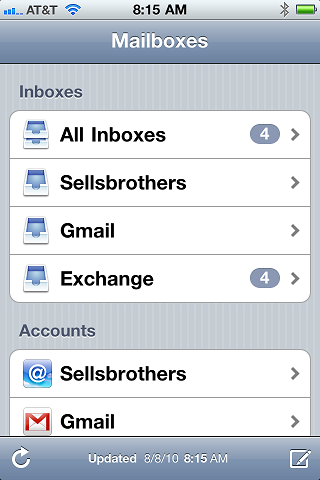
iOS 4 takes a step in the right direction with the universal” inbox:

iOS4 "universal" inbox

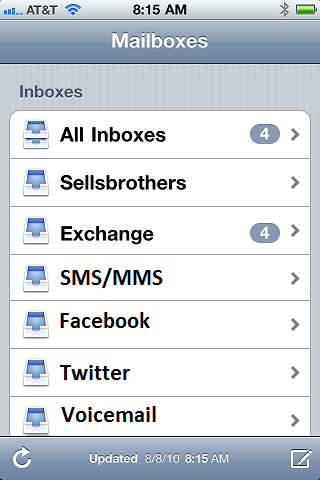
Here I’ve got a great UI for getting to all my email messages at once, but why can’t it handle all my messages instead?

super-universal inbox

Not only would this put all my messages in one place at one time, but it would unify up the UI and preferences across the various messaging sources. Do you want your text messages to quietly queue up like email? Done. Do you want your voicemail to pop to the front like an SMS? Done. Do you want the same swipe-to-delete gestures on your voicemail as you have with your email? Done!

Maybe someone with some experience on the new Windows Phone 7 can tell me that there is a messaging” hub that manages all this for me. Since they’re already doing things like bringing facebook pictures into the pictures” hub (or whatever they call it), that doesn’t seem completely out of the realm of possibility. If that’s the case, I’ll say again what I’ve been saying for a while — I can’t wait for my Windows Phone 7!

April 2, 2010 spout

College info for my sophomore

I went to a college planning sessions at my sons’ high school not because I’m hung up on getting my Sophomore into a top school, but because I thought I’d get a jump on things. I learned I was actually behind.

For one, I learned that the high school has an online system that will do some amazing things:

  • It will give my son a personality test and an interest test.
  • From those tests, it will tell him what kinds of careers he might want to consider.
  • Based on those careers, what major should he have.
  • From the major, what schools around the country offer it.
  • In those schools, what the entrance requirements are.

That means that my son can answer questions about personality and interests and draw a straight line through to what he needs to do to get into a school so he can learn to do the jobs he’ll like and be good at. Holy cow. We didn’t have anything like that when I was a kid.

Further, the online system has two complete SAT and ACT tests in it, so, along with the PSAT that he’s already taking, he can do a practice ACT, figure out which test he’s best at (my 34 ACT score was way better than my 1240 SATs) and just take that test, since most schools these days take both SAT or ACT results.

This is all freely provided by the high school and, in fact, they have counseling sessions with the students at each grade level for them to get the most from this system.

It’s no wonder that 93% of students from this high school go on to 4 or 2-year college degree programs.

That was the good part.

The scary part is that my eldest, half way through his Sophomore year, is essentially half-way through his high school career. Colleges only see their grades through the end of Junior year, since most college applications are due in the middle of January of their Senior year at the latest. I have to sit down with my son and have the conversation about how even if you get a 4.0 from now on, the best grades you can have are…”

Is it just me or is the world moving faster with each passing day?

March 21, 2010 spout

you may experience some technical difficulties

I’ve been futzing with the site and I’ve got more to do, so unexpected things may happen. Last weekend I screwed with the RSS generator and that caused a bunch of folks to see RSS entries again. This weekend I’m moving more of my static content into the database, so you may see a bunch of old stuff pop up.

Feel free to drop me a line if you see anything you think needs fixing. Thanks for your patience.

March 18, 2010 spout

On Building a Data-Driven E-Commerce Site

On Building a Data-Driven E-Commerce Site The following is a preprint of an article for the NDC Magazine to be published in Apri.


It had been a long, hard week at work. I had my feet up when a friend called and popped the question: Do you know how to build web sites?”


That was about a month ago and, after swearing to her that I spent my days helping other people build their web sites, so I should oughta know a thing or two about how to build one for her. After some very gentle requirements gathering (you don’t want a bad customer experience with a friend!), I set about designing and building bestcakebites.com, a real-world e-commerce site.
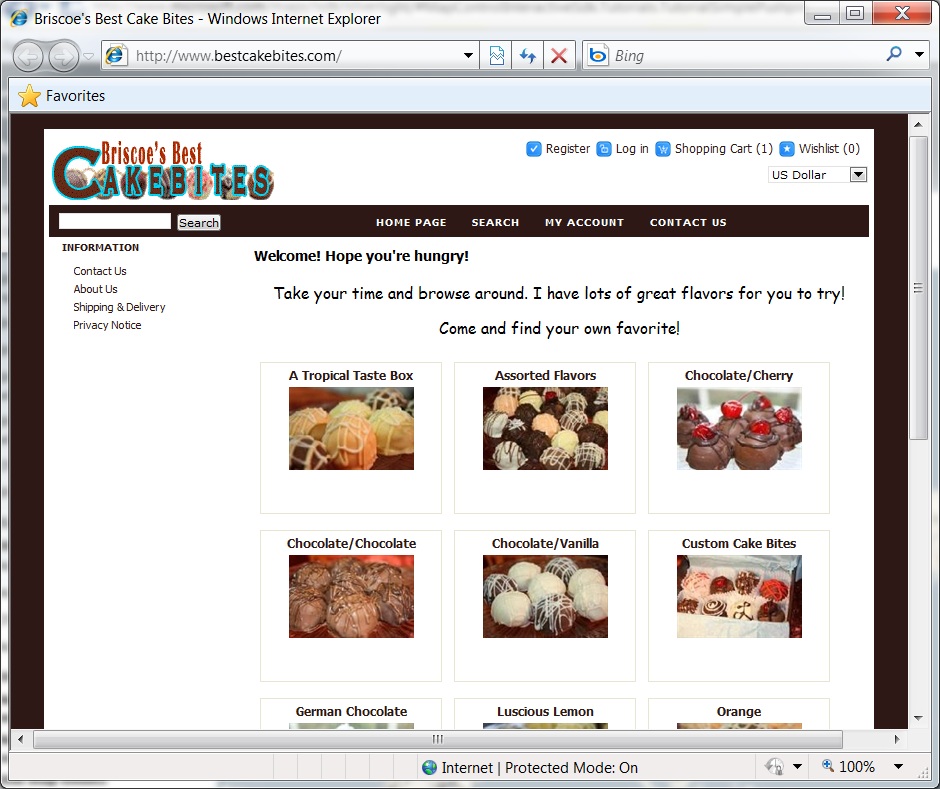


She didn’t need a ton of features, just some standard stuff:

·        Built on a technology I already knew so I could have the control I needed.

·        Listing a dozen or so products with pictures and descriptions.

·        A shopping cart along with, ideally, an account system so folks could check their order status or reorder easily.

·        Shipping, handling and tax calculation.

·        Taking payment.

·        Sending email notifications of successful orders to both the customer and the proprietor.


As it turns out, there are a bunch of ways to skin this particular cat, but because I was a busy fellow with a more-than-full-time job and a book I’m supposed to be writing, instead of falling prey to my engineering instinct to write my own website from scratch, I decided to see what was out there.


As it turns out, there’s quite a few e-commerce web site solutions in the world, several of them recommended by PayPal, as well as one that PayPal itself provides, if you don’t mind sending shoppers to their web site. And if fact, I did. Requirement #1 was that I needed complete control over the code and the look and feel of the site. I didn’t want to configure somebody else’s web site and risk going off of her chosen domain name or not being able to tweak that one little thing that meant the difference between #succeed and #fail. (Friend customers are so picky!)


The e-commerce solution I picked was the one I found on http://asp.net (I am a Microsoft employee after all): nopCommerce. It’s an open source solution based on ASP.NET and CSS, which meant that I had complete control when it wasn’t perfect (control I used a few times). It was far more than full-featured enough, including not only a product database, a shopping cart, shipping calculation and payment support, but also categories and manufacturers, blogs, news and forums, which I turned off to keep the web site simple (and to keep the administration cost low). Unexpected features that we ended up liking included product variants (lemon cake bites in sets of 8, 16 and 24 made up three variants, each with their own price, but sharing a description), product reviews, ratings and site-wide search.


The real beauty of nopCommerce, and the thing that has been the biggest boon, was that the whole thing is data-driven from SQL Server. To get started, I ran the template web site that was provided, it detected that it had no database from which to work and created and configured the initial database for me, complete with sample data. Further, not only was it all data-driven based on the products, orders and customers the way you’d expect, but also on the settings for the web site behavior itself.


For example, to get shipping working, I chose from a number of built-in shipping mechanisms, e.g. free, flat rate, UPS, UPSP, FedEx, etc., and plugged in my shipper information (like the user name and password from my free usps.com shipping calculation web service account)
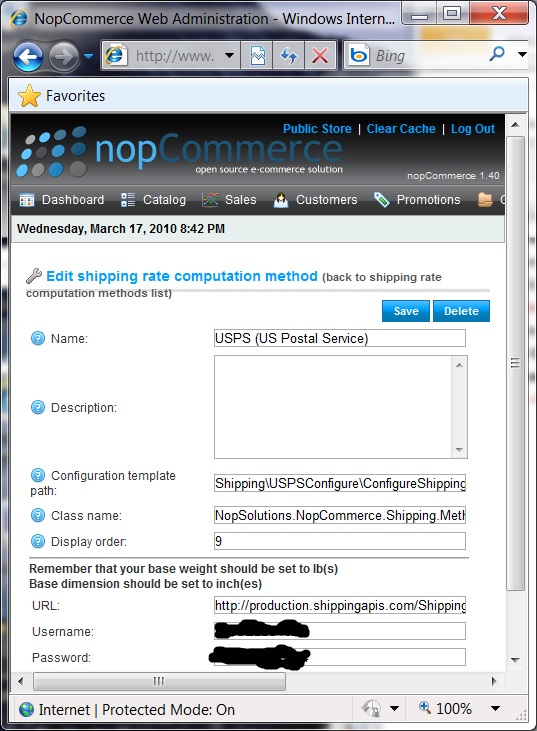
 

With this configuration in place, the next order the site took, it used that shipper, pulling in the shipping information from the set of size and weight measurements on the ordered products (from the database), calling the web service as it was configured (also from the database) to pull in the set of shipping options from that shipper, e.g. Express Mail, Priority Mail, etc., augmenting the shipping prices with the per product handling changes, and letting the user pick the one they wanted. All I had to do was use the administration console, tag each product with size information and tell nopCommerce that I’d like USPS today, please.


Everything worked this way, including tax calculation, payment options (we chose PayPal Direct and Express so that folks with a credit card never left our site whereas folks with PayPal logged into their account on the familiar paypal.com), localization, whether to enable blogs, news, forums, etc. Most of the time when I wanted to make a change, it was just a matter of flipping the right switch in the database and not touching the code at all.


As one extreme example of where the data-driven nature really came through was on the order numbers generated by the site. During testing, I noticed that our order numbers were monotonically increasing from 1. Having ordered from a competitor’s site, their order number was only 103, clearly showing off what amateurs they were (and the order itself took a month to arrive after two pestering emails, so it was clear how amateur they really were). I didn’t want us to appear like newbies in our order-confirmation emails (which nopCommerce also generated for us), so I found the Nop_Order table, and used SQL to increase the identity column seed, which it was clear was the origin of the order number: 

DBCC CHECKIDENT (Nop_Order, RESEED, 10047)

From then on, every time an order came through, we protected experience simply because of the order number, which I changed without touching a line of code. If helping you fake it til you make it” isn’t enough reason to love a data-driven solution, I don’t know what is!

March 11, 2010 spout

The incomplete list of impolite WP7 dev requests

In my previous list of WP7 user requests, I piled all of my user hopes and dreams for my new WP7 phone (delivery date: who the hell knows) onto the universe as a way to make good things happen. And all that’s fine, but I’m not just a user; like most of my readers, I’m also a developer and have a need to control my phone with code. I have a long list of applications I want to write and an even longer list of applications I want other developers to write for me.


Today at 1:30p is the first public presentations of how to do WP7 programming, so to affect the future, I have to get my feature requests for the Windows Phone 7 Series development environment posted now!


·        I want the legendary Microsoft tools for code editing, UI design, debugging, deployment, version control, add-ins, project management, etc. Please just let me install the Windows Phone 7 Series SDK and have Dev10 light up with new project and project item templates et al.

·        I definitely want to be able to write C#. Since Charlie’s mentioned Silverlight, it seems like I’ll be able to do just that.

·        I want to be able to mark a program as useful for background processing, e.g. I’m writing Pandora, and let that trigger a question for the user as to whether to allow it or not, ideally with a message like Pandora would like to continue to run in the background using XX% of your battery. Is that OK?”

·        For most apps that would like to appear as if they’re running in the background, I want to register a bit of code to run when its own cloud-based notifications comes in, e.g. an new IM or sports score.

·        I want to be able to access data from built-in apps, e.g. contacts, appointments, etc.

·        Obvious things:

o   Notification when the user switches orientation

o   Access to the compass, GPS, network, camera, mic, etc.

o   Access to the network using TCP, HTTP, Atom, AtomPub and OData.

o   Low and high-level access to gestures

o   A nice set of build-in standard controls, including simple things like text box and more complicated things like map and route

o   Integration with existing apps, e.g. the ability to launch the map app from my own app at a specific location or to a specific route.

o   Ability to create custom controls/do custom drawing.

o   Serialization so I can keep user data between sessions. Notifications when my app is being whacked.

o   App-selected keyboards for specific tasks, e.g. entering a URL.


That doesn’t seem like a very big list. I must be missing something. : )

March 9, 2010 spout

Creating a Lazy Sequence of Directory Descendants in C#

My dear friend Craig Andera posted an implementation of a function that descends into a directory in a lazy” manner, i.e. you get the first descendant back right away and not after all descendants have been calculated. His implementation was in Clojure, a Lisp variant that runs on the Java VM:

(import [java.io File])

(defn dir-descendants [dir]
  (let [children (.listFiles (File. dir))]
    (lazy-cat
     (map (memfn getPath) (filter (memfn isFile) children))
     (mapcat dir-descendants
      (map (memfn getPath) (filter (memfn isDirectory) children))))))

Craig was happy with this function because, even though it was a mind-bender to write,” it’s easy to read and because C# would almost certainly be at least somewhat more verbose.”

Taking this as a challenge, I rewrote this program in C#, maintaining the laziness:

using System.IO;
using System.Collections.Generic;

namespace ConsoleApplication1 {
    class Program {
        static IEnumerable<string> GetDirectoryDecendants(string path) {
            foreach (var file in Directory.GetFiles(path)) { yield return file; }
            foreach (var directory in Directory.GetDirectories(path)) {
                foreach (var file in GetDirectoryDecendants(directory)) { yield return file; }
            }
        }
    }
}

The key hit here is the use of yield return” which lets me return elements of an IEnumerable as I calculate them. This took me 5 minutes to write, my mind is straight and I find it fairly easy to read. I’ll let you decide on the relative verbosity of each implementation.