Building a modern, mobile-first app November 11, 2017

Building a modern, mobile-first app

A while ago, I started building a brand new client app. I wanted to use all of the modern techniques to make it a great app and to make sure it had maximum reach. For me, that meant a Progressive Web App that would work from desktop and mobile browsers. And so that meant JavaScript. That was OK; I’d been through the 5 stages of grief for JavaScript years ago but the real question is, which client-side framework do I choose? To answer that question, I spent a great deal of time with a LOT of them:

  • Angular: I was a huge AngularJS (v1) fan, but when the template for an Angular 2 project included as many files as for a J2EE project, I was out. Too much, too soon.
  • Polymer: great framework with great UI components and tools, but the bet on standardizing HTML Imports as the core reuse mechanism didn’t pay off. Instead, Polymer 3 seems to be heading down a “put your HTML into a string” road, which I don’t like. Plus, the code I wrote in Polymer felt wrong somehow, particularly when it came to state management. This would become a theme.
  • React/Redux: I love writing React code. The rendering model really speaks to me. However, as soon as I wanted to share data between components, things broke down quickly. As much as I love React, I hate Redux. The model is nice but the code is insane. And the fact that there are dozens of other ways to manage state in React, fragmenting the community, is also insane. No thanks.
  • Lots o’ little libs: I spent some time going back to basics with HTML and Bootstrap and jQuery. And while I enjoyed picking up jQuery again and Bootstrap certainly met my UI needs, the lack of a virtual DOM or a standardized component model (Custom Elements still hasn’t been adopted widely enough and there’s a lot of boilerplate code) put me on a path of reinventing the solutions all of the other frameworks have already solved. Plus, still no great way to solve the state management problem.
  • Stencil: I really like the Stencil approach of pushing the common idioms (virtual-DOM-based rendering, JSX, class-based components) along with compile-time tooling to create HTML custom elements, but there aren’t any UI frameworks for it yet. I didn’t want my limited free time to start by wrapping Bootstrap in Stencil. According to a recent podcast, the next version of Ionic will come with a set of Stencil UI components — perhaps I’ll revisit it then.
  • VueJS: This is something I was looking into recently and it’s very promising. It’s simple, so it can be adopted easily, but full-featured so it can be used for real-world stuff. There’s a range of usage from “include this JS file and write this code” to “run this CLI and get a Webpack-based build with hot-loading”. There are plenty of UI frameworks, including for Bootstrap. Routing turned out to be way simpler than in React and state management looks like it will be sane. I wish it were class-based, but Vue is still the #1 contender.

Where are we?

Maybe it’s just how I was brought up, but I miss the single-vendor, single-lib, single-tool, single-way model from my Microsoft days. It wasn’t cross-platform or OSS, but WinForms was a great end-to-end solution for building Windows apps. Of course, I say all of this while still wanting a responsive app built using HTML and deployed via the browser that works everywhere for everyone. It’s a heterogeneous world and that’s a very good thing, but it does have it’s downsides, too.

Tell me what you think — did I mischaracterize your favorite JS framework or miss it altogether? I’d love to hear that there’s an end-to-end toolchain that’ll make me forget WinForms.

Viking Me November 21, 2016 Fun

Viking Me

Today, I was asked about the story behind my viking avatar: The avatar is years and years old. Peter Stern, a graphic designer friend of mine, put together a set of avatars for me for something (I forget what) and the viking is the one that resonated with me the most because of my Norwegian heritage, my physical stature and my general demeanor (those of you who know me have never asked why I choose a Viking avatar : ).

However, it was my mention of a real-life picture of me in a viking helmet that lead to the challenge — post that picture! So here you go. Enjoy. : )

Backgammon and Using Your Own Products November 5, 2016

Backgammon and Using Your Own Products

Have you ever used a product of any kind — an app, a device, a plunger — and thought to yourself “Do these people even use their own product?” As a Product Manager at Google and a long-time software product guy, I think this all the time. Sure, Donald Norman, Steve Krug and countless others have written well on the topic of product design, but that’s not enough.

You actually have to use your own products to solve the same problems your target customers are trying to solve.

If you don’t, you’re much less likely to produce something that anyone will want to use.

Method Acting and Product Design

Of course, using your own products comes with it’s own set of problems and there’s the very real possibility that you’re just not your target customer — in those cases, you just have to fake it. Consider this the “method acting” form of product design:

Put yourself in a situation where you need to use your product the way your customers will use it.

Got a map app? Use it to find something you really care about finding. Got a device for kids that cooks pizza at the press of a button? Ask your children to make dinner and eat the results. Got a solar-powered plunger? Plug your toilet in the middle of the night and see what happens.

In my case, the products I design are for use by software developers. That means that to test my own products, I have to set myself up in a situation where I’ll need the product I’m building.

As an example, a couple of years ago I was writing an online course about building cross-platform apps using Xamarin. I could’ve showed off the various topics with throw-away samples, but then I would have no confidence that I’d covered the topics my developer customers cared about. Instead, I chose to start from scratch and build an app I actually wanted for use on Windows, iOS and Android phones and tablets. In that way, my course became the thing I wished I’d had to get up to speed on building apps with Xamarin.

Caring about the results of using your product is key.

Without caring about the results, you can’t properly judge whether your product is useful or not. If you don’t care whether you get a vegetarian pizza or a meat-lover’s, you’re not going to be able to notice important issues in your EZ-Bake Pizza Oven, let alone fix them.

In my case with the online course, if I hadn’t have chosen to build something I wanted to use on my own phone and to share with friends and family using a variety of other phones, then I wouldn’t have had the module on deployment for each of the three mobile OSes I was asking my customers to target. Without that module, my customers would’ve been stuck figuring that out for themselves, making my online course a lot less useful.

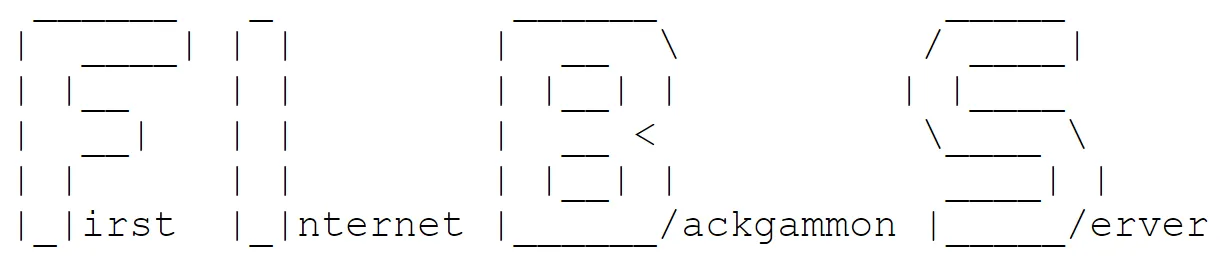
First Internet Backgammon Server

A few days ago, I celebrated my two-year Googleversary; I’m the Lead Product Manager for the Google Cloud Plaform developer tools. In that time, I’ve built a few small apps to wrap my head around the products we’re building for our developer customers, some of them are real-world (like tinysells.com for resolving the URLs in my books), but most are throw-away demos. Even the real-world apps are small enough that I haven’t needed to really embrace a large surface of our platform. For this to qualify as a real product test, it needs to be cloud-based, it needs to be big enough to exercise a reasonable subset of our platform and most importantly, it needs to be something I care about.

I care about Backgammon.

As a kid growing up in the Midwest, my family was big into card games, board games and strategy games of all kinds. It started at a young age with Double Dirty Crazy 8s, Monopoly, Risk and Speed and eventually graduated to Gin, Cribbage, Poker and, of course, Backgammon. My family wasn’t one of those “let the kids win to build their self esteem” families — we played to win and then we’d gloat afterwards. To this day, I still play a lot of these same games on my phone (the real reason I use Android isn’t because I work at Google, but because of the world’s best mobile Risk game).

I play my favorite Android Backgammmon game several times/day. I’d like to play with other humans, but unfortunately, it’s not online multi-player and I moved away from my game-crazy extended family years ago. I would play Backgammon with my local immediate family, but they don’t like to play with me (I can’t imagine why).

Of course, there are plenty of existing ways to play multi-player Backgammon online, but none of them as the same UX as the one from AI Factory. Plus, the internet has a hidden gem for Backgammon that I would love to access via a modern UX: FIBS.

The First Internet Backgammon Server is a telnet server that has been running since 1992 to provide multi-player Backgammon via text over the internet. It was originally created by Andreas (marvin) Schneider and has been maintained by Patti Beadles since 1996. According to FIBS history, FIBS has “a number of excellent graphical interfaces”. Well, excellent than may be, but I couldn’t get any of them to work. All of the ones I could actually get to run seem to be largely GUIs around the same telnet command line interface that FIBS has always provided. Don’t get me wrong — FIBS commands are great for text mode (the FIBS text board layout is especially fun), but it doesn’t hold up to the expectations set by modern mobile Backgammon games, especially the one that the AI Factory has me hooked on.

As a user of FIBS, I want a responsive web UI on my desktop or mobile browser that meets modern UX standards; the only time I want to type anything is when I’m chatting with Backgammon friends and enemies.

As the developer of a web-based FIBS client, I have to worry about the following things:

  • a web frontend so anyone can access it from anywhere
  • a WebSocket proxy so that the web frontend can talk to it (JavaScript can’t open a connection to a raw telnet server)
  • a backend in the cloud so it can scale with demand
  • a way to notify users when it’s there turn (Pam hates droppers!)
  • a CI/CD pipeline to get updates out to users ASAP
  • a way to track my app in production for perf, usage, crashes, etc.

As a product designer (remember where all of this started), I get to push on the following pieces of our cloud developer tooling:

  • how do I learn about targeting the cloud with my app?
  • how do I build my backend and my frontend?
  • how do I validate an update to my app before deployment?
  • how do I deploy an update?
  • how do I monitor my app in production?
  • how do I track errors back to causes?

Where Are We?

Each successive layer from user needs to developer needs to product design validation is driven by the core: I’m building something I care about. To be clear, I picked a project that execises the end-to-end of my product set on purpose. Further, any one app I build will only be one of a nearly infinite number of possible passways through the features and tools we provide to developers on the Googles Cloud Platform.

Of course, using your own product can’t be the only thing need you do to validate it. You also need input from customers, competitive analysis, usage metrics, …

That said, using our products like a real customer is going to give me a bunch of insights that I wouldn’t have had otherwise. That’s a good thing.


Google Cloud Storage Hierarchy in .NET August 7, 2016

Google Cloud Storage Hierarchy in .NET

Google’s Cloud Storage Browser perpetrates a fiction of files and folders that doesn’t exist. The Google Cloud Storage (GCS) API only has two concepts: buckets and objects.

  1. A bucket is a container of objects and needs a globally unique name.

  2. An object has a name, a content type and content. The name can be simple, e.g. “foo.txt” or it can have slashes in it, e.g. “foo/bar.txt” or even just “quux/”. However, from the GCS API point of view, there’s no difference — the only container is a bucket.

For example, I can write a program using the .NET GCS client lib from NuGet that looks like this:

void ListBucketsAndObjects(string projectId) {
  var client = StorageClient.Create();

  foreach (var bucket in client.ListBuckets(projectId)) {
    Console.WriteLine($"{bucket.Name}/");
    foreach (var obj in client.ListObjects(bucket.Name, null)) {
      Console.WriteLine($"  {obj.Name}");
    }
  }
}

Given objects with names as described above, this would be the output:

csells-bucket-1/
  foo.txt
  foo/bar.txt
  quux/

However, if you surf to the Storage Browser to see the project with these three objects, you’ll see something that looks like a normal file/folder browser:

Implicit and Explicit Folders

The Storage Browser has interpreted one of the objects as a file and two of them as folders, one implicit and one explicit. The implicit object folder comes from the slash in “foo/bar.txt”; the slash is used as a delimiter that means “folder” as far as the Storage Browser is concerned.

The explicit folder comes from an object with a name that ends in a slash. You can create one by pressing the Create Folder button in the Storage Explorer or with the following lines of code:

var client = StorageClient.Create();
client.UploadObject(bucketName, "quux/", "", Stream.Null);

Working with Folders

When you’re working with buckets and objects, the ListBuckets and ListObjects methods work just fine. However, if you’d like to navigate the fictional hierarchy of files and folders the way that the Storage Browser does, you can use the BrowserHelper (a piece of .NET helper code I put together for just this purpose):

void ListBucketsFilesAndFolders(string projectId) {
  var client = StorageClient.Create();

  foreach (var bucket in client.ListBuckets(projectId)) {
    ListFilesAndFolders(client, bucket.Name);
  }
}

void ListFilesAndFolders(StorageClient client, string bucket, string parentFolder = "", string indent = "") {
  string shortName = parentFolder == "" ? bucket : BucketHelper.ShortName(parentFolder);
  Console.WriteLine($"{indent}{shortName}/");
  indent += "  ";

  foreach (var file in client.ListFiles(bucket, parentFolder)) {
    Console.WriteLine($"{indent}{file.ShortName()}");
  }

  foreach (var folder in client.ListFolders(bucket, parentFolder)) {
    ListFilesAndFolders(client, bucket, folder, indent);
  }
}

The BucketHelper extension class provides the ShortName, ListFiles and ListFolders functions in the sample above. ListFiles and ListFolders are provided on the existing .NET client library types instead of providing a whole new set of wrapped types, which largely just get in the way.

The output for the same list of objects looks like this:

csells-bucket-1/
  foo.txt
  foo/
    bar.txt
  quux/

The implicit and explicit folders are folded together into a list of strings at each level, so your code doesn’t have to care which is which. However, if you do care, a call to StorageClient.GetObject returns an object or throws an exception depending on whether it’s explicit or implicit.

When creating your objects, your code doesn’t have to explicitly create folders, since implicit folders are first class citizens as far as the BrowserHelper and the Storage Browser are concerned. However, if you’d like to create a folder explicitly, BrowserHelper provides a helper for that, too:

var client = StorageClient.Create();
var folderObj = client.CreateFolder(bucketName, "baaz/");

Where Are We?

The BucketHelper is an extension to the hand-crafted Google Cloud Storage client library for .NET. It helps to provide access to the same fictional hierarchy that the Cloud Storage Browser provides over your buckets and objects. Enjoy.

Breaking Into the Industry July 29, 2016

Breaking Into the Industry

I got an email the other day from an old friend that said he’d met a young developer named Ben and that he was impressed with his “acumen, initiative and hunger to learn,” which made me want to help him if I could. He also said that “his Dad followed your blogs for years,” which made me want to eat right and exercise.

In the meantime, Roger introduced me to Ben via email and Ben had some excellent questions, which I thought I’d share here along with my answers, if only to avoid other people sending me emails that make me feel old…

From: Benaiah Mischenko

[ben] I was hoping to pick your brain for any advice you’d have for a young developer trying to break into the industry. I’ve been coding for some time, but most of my work has been small one-off contracts (I currently work at a radio company building websites for the stations they own).

Ben, you are about to “break into” an industry with near 0% unemployment. Practically everyone able to string together working code/markup can get a job of some sort. All you really have to do is to keep coding, be prepared to show off your work (GitHub is great for this) and you’ll find a job. Right now there’s no other industry I know of that has this luxury and it’s not going to last forever, so enjoy it.

[ben] What do you see as the biggest growth opportunities in the field — areas of study that will be big in the coming years (for instance, I’ve heard people say DevOps is poised to become as fundamental a practice as source control as time goes on)?

Identifying the biggest growth opportunity is easy: containers are the way we’ll be packaging and deploying out software for the foreseeable future, the cloud will be the target of said deployments and Machine Learning is going to be part of practically every system we build from now on. I’d also look at Augmented Reality as the next computing platform beyond web and mobile. Forgive me for making all of those links Google-related (Pokemon Go runs on the Google Cloud), but Google has it’s hands in lots of cool stuff.

[ben] What do you look for when determining the ability and potential to grow of a junior developer?

I look for two things when evaluating any engineer:

  1. How deeply do you know the things you know? Can they answer why questions in addition to how questions?

  2. How quickly and how often do they learn new things? The tech landscape is always changing, so whatever skills you have, however deep they may be, will quickly fade in importance. You can’t be useful for very long without the ability to learn new things.

[ben] More generally, where do you see our industry moving, and do you have any concerns that you think I should watch out for when navigating the field?

I see our industry spending a lot of it’s time throwing away existing processes and methods, sometimes to replace them with something new (which may or may not work better than the old ways) or to reinvent what we just threw away. I think that what we’re seeing evolve out of this process of continuously trying new things is our attempt to turn “software engineering” into an actual engineering discipline on the order of electrical or civil engineering. We’ve still got decades of work to do here, but we’re slowly hammering out best practices, e.g. Continuous Integration/Continuous Delivery is emerging as the best way to do sustainable DevOps.

What that means for you is that you need to be skeptical about the processes that any software team uses to produce software, since we’re still finding the right way forward here. Don’t be afraid to take a proscribed process with a grain of salt or to try new things to make your team happier and more effective. In general, if something looks like meaningless bookkeeping, it probably is and should be treated accordingly.

[ben] Thanks in advance for your help. I appreciate every chance I get to learn from more experienced developers.

Good luck, Ben! Feel free to reach out again. I’m always happy to help budding engineers if I can. And say “hi” to your Dad!

July 2, 2016

Access Google Cloud Source Repositories from Visual Studio

Cloud Source Repositories (CSR) provides support for multiple Git repositories for each project. To log into your CSR repos from within Visual Studio, you’ll need credentials that Visual Studio expects, i.e. a username and password pair. CSR calls these “manually generated credentials” (as opposed to the Google Cloud SDK generated credentials which are the default).

Manually Generated Credentials

To get manually-generated credentials, do the following:

  • Go to the “Development” section in the Google Cloud Console.

  • Select the Source Code section and choose the repo that you’d like to access locally from the drop-down. Then, open the drop-down again and select “Clone repository”.

  • Change the preferred authentication method to “Manually generated credentials”.

  • Copy the URL starting with https://source.developers.google.com into your clipboard and save it for later. One easy way to do this is to use the Copy button to put the entire git clone command into your clipboard and then trim it to just the URL portion.

  • Click “Generate and store your Git credentials” (and not the OK button).

  • From the browse window that pops up, gather the Git password (which goes along with the email you used to authenticate). You can ignore the instructions about putting a command into your .netrc file, since Visual Studio will ask you for your username/password pair directly.

Logging Into CSR from Visual Studio

Now that you have your CSR Git URL, username and password, you have what you need to use your CSR repo from Visual Studio.

  • To start, choose View | Team Explorer in Visual Studio.

  • In the Local Git Repositories section, choose the Clone option and add the Git URL for your CSR repo, choose a local directory and press the Clone button.

  • Visual Studio will prompt you for the username and password.

The username is the email address you used to generate the Git password previously. The password is the one you generated when you asked for manually generated credentials.

At this point, you can edit your files into Visual Studio normally and use the Team Explorer to see the files that have changed, look at diffs, commit the changes, etc.

Solitaire Redux May 6, 2016 Fun

Solitaire Redux

I’ve done a bunch of stuff related to Solitaire on my blog for some reason. I guess I’m a fan, although mostly these days I focusing my listening in boring meetings with 2048 or Border Siege (the real reason I have an Android phone).

Still, the interest must still be there, because when I saw 10 SOLITAIRE Facts You Probably Didn’t Know scroll by on my Flipboard feed, I was curious. I didn’t find anything that surprised me (I am a bit of a Solitaire buff after all), but I certainly was surprised to see this image come up when I got to Solitaire Fact #1:

Apparently Solitaire is the #1 most popular app that runs on Windows and I was the source of that information. To be clear, this is something I heard when I worked at Microsoft and probably was happy to say (never let a good story be ruined by the facts), but I never seen stats to that effect. Caveat emptor, your mileage my vary, some assembly required and all that jazz.

BTW, for the curious, this is Matt Pietrek’s office from back in the day. The only computer in that shot that’s mine is the laptop. Since it doesn’t seem to be running Solitaire, I’m not sure why gameranx chose it, but I do remember liking that shirt…

Moved to Blot September 13, 2015 Colophon

Moved to Blot

You’re reading this on the 5th version of my blog.

Some History

The first was a set of static text files I managed in FrontPage. The editing was nice (once it get the HTML-on-the-disk problems right), but I dropped everything into the same file, using anchor tags to separate posts in one giant file, which didn’t scale.

The second version was ASP.NET code to pull in my static content (I did not want to give up my FrontPage) and arrange it into a nice layout.

The third version has been lost in the mists of time.

The fourth version was a complete rewrite in ASP.NET using SQL Server as the backing store. The bulk of the content was in SQL Server as either HTML fragments or image blobs, requiring me to implement a blogging API (I was way into AtomPub at the time, so that’s the one I implemented). Along the way, I moved this version of the site to Azure.

The good news is that Windows Live Writer worked very well with this site (even better than FrontPage!). The bad news is that it was the only editor that did, it requires Windows and we no longer live in a single OS world. I want to write my blog in Markdown from OSX or even my phone.

So, the fifth version my site, the one you’re looking at now, is running on Blot. It was the video of the workflow on the home page that really did it for me. I saw that, paid my $20 and have been spending weekends exporting the data from my old blog ever since.

The Beauty of Blot

Here’s what I get by moving to Blot:

  • A Dropbox-based file management system with complete flexibility to arrange things how I like. Blot just takes what I give it and uses it to produce my blog. And I don’t need to maintain certs to protect my writeable AtomPub endpoint anymore, either. Blot and Dropbox use OAuth2 for such things and leave me out of it.

  • A mix of HTML and Markdown content, which let me dump all of my old HTML fragment-based content into Dropbox but still letting me write new content in Markdown with whatever editor I feel like, including one hosted on Windows, two hosted on the Mac and one that runs on my phone.

  • A live preview that’s updated every time I save. I get a preview by prefixing the post filename with “[draft]”, which produces a cooresponding “[preview]” file that matches the styles on my site. When I’m ready to publish, I remove the “[draft]” prefix and it’s live with a date that matches the first time that Blot saw this post. Or if I want to provide my own date in the future, I can easily do so with a bit of metadata in the file. Easy peasy.

  • Integration with Disqus, where I keep my comments. Not only do new posts get Disqus comments, but I was able to drop in a bit of metadata to point to the existing comments for my existing posts.

  • Direct integration with my existing Google Analytics account by simply providing my ID.

  • Forwarding of old URL patterns to their new spot on my new site, so I’m not contribuing to the “dead web.”

  • Several Blot templates provide mobile-friendliness out of the box (as defined by Google mobile friendliness test tool), which is handy so that mobile searches continue to find things on sellsbrothers.com without bias. This saved me from having to figure out the issues with the old site.

  • Fabulous support from David, the proprietor of Blot. I don’t think he’s had anyone drop 20 years of blog content into Blot all at once before, but he was super responsive, fixed all of my issues and even added some features just to support my scenarios. Blot is worth it just for David.

  • I get the piece of mind knowing that all of my content is in Dropbox, so if Blot goes away in another 20 years, then I have confidence that I’ll be able to take my content and drop it somewhere else or even build my own host. Also, while I’m not quite 100% confident in Dropbox’s ability to keep all of my files for all time, I’m got the whole thing checked into GitHub, too, which Blot has no issues with.

  • And I get all of that for $20 a year! That’s a bargain and a half.

Not quite everything

While Blot does let me drop in JavaScript and do dynamic things, it’s not a place to host server-side code. So, I rebuilt tinysells.com (the URL forwarding service that I built for my books) and moved it to the Google Cloud Platform. It’s about six lines of Python code if you’re interested (not counting the hardcoded data which I’m sure I’ll move someday).

Also, while Blot has a full set of fully customizable templates, none of them was quite what I wanted and my hacking has left me vaguely unsatisfied. If anyone has design advice, I’d sure love to hear it!

Where are we?

I imagine that I would’ve been just as happy with WordPress as Blot, but David does such a good job with Blot that I couldn’t say “no.” Certainly I’ve blogged more in the last week than I have since joining Google, so I’ll take that as a good sign. Blot seems to have inspired me; what more could you ask from a blog service than that?


← Newer Entries Older Entries →