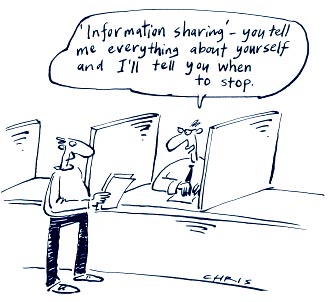
Ever since Chris Anderson built his blogging software and shared it with his colleagues, more and more Microsoft employees has been pushing hard on being as transparent to our customers as we can be. This has been a very much grass roots effort. I remember coming into Microsoft six years ago just when legal was busy giving everyone disclaimers to put on their personal blogs and telling us what we could and could not say. It was always a worry whether the next blog post would get you fired. I got in trouble personally several times, but the brave pioneers before me laid the groundwork for people like me to comment on the internals of Microsoft culture, for Robert Scoble to call Steve Balmer out onto the carpet several times and for Rory Blyth to talk about penises, all on the Microsoft dime. Now blogging is just an accepted way to do things. It’s not even questioned anymore; it’s expected.
And by and large, this transparency is good for reasons that are obvious these days — when our customers see how the sausage is made and have a say in the ingredients, they’re happier eating it with their breakfasts.
As with all good things, however, these is a downside. For example, the product I’ve been working on for 4.5 years has gone through many transformations. This has to do with how new software is designed at Microsoft.
The tag line when we’re hiring folks is always, “Don’t you want to change the world?!” Of course, everyone does and that’s good, because people coming in the door want to take big risks and do big things. If you’re trying for the next Office or Windows, that’s the kind of thinking you need. However, what that means is that we have a lot of folks building 1.0 software. We do this in my division with an organizational structure called an “incubation.”
My product was in incubation mode for years and we started with zero assumptions. My first day on the job, I was asked to “think about synchronization.” What did that mean? What problem was I trying to solve? Does replication count as synchronization? Does data import? I struggled with this for months before I got my head around the process of noodling with a technology enough to understand what problems there were in the space and how that fit with our general idea of what we might want to build into a product.
We tried a huge amount of stuff, often rebuilding shipping technologies to which we had ready source code access just so we could get a feel for how it worked (I personally built multiple data synchronization engines, a WPF-compatible XAML parser, a data binding engine and a set of universal data viewers during that period, all of which were thrown away, as expected).
As we got further along, we started producing things that needed to be published, even if they weren’t a core part of our product anymore (like MEF and some new features in XAML 4.0). Once this started happening, we started to feel like we had a handle on what we were doing to move into “startup” mode, where we formed a team to make productization plans. At this point, we started telling folks what we thought we had, including analysts and “insider” customers, getting their feedback. Based on this feedback, we re-jiggered the product and the story and did it again. And again.
Eventually, we move out of startup mode to become a real product team with dev, test, PM and UA splits (up ’til then everyone does everything or, as we liked to say, “everyone shovels”). Eventually in this mode, you publish some set of bits that are your best guess at the time of what we think we’re eventually going to ship. In our case, it was the October 2008 “Oslo” SDK CTP, guaranteed only to take up space on your hard drive. At the time, we’d been telling the “Oslo” story for more than a year and it had evolved a great deal. Since we published that initial CTP, we’ve published a few more, along with an entire web site filled with articles, videos, specifications, samples, etc.
I mean, we did it big. We were part of the keynote at the 2008 PDC and we had lots of folks on our team that are very visible in the community, including Don Box, Chris Anderson and Doug Purdy. These are the heavy hitters, so when they said something, folks listened.
And we definitely got a lot of community involvement — way more than we expected, in fact. With that involvement, we got a ton of feedback, which is the benefit to us of releasing early and often. We take that feedback and we make changes to our product — sometimes big changes. In this particular case, we were building on all kinds of SQL Server-related technologies, so because of pressure to build the absolute best thing we possibly could for our customers, we actually merged the division that owned “Oslo” (and WF, AD, WCF, BizTalk, etc) with the SQL Server division.
Of course, those are the kinds of changes that our customers don’t see. What they see is that things are changing and that they’re not quite sure what our plans are. That’s one big downside:
When you share early information, sometimes it’s half-baked, it often changes and is almost always confusing.
As an example, Jeremy Miller recently had this to say about “Oslo” and our communication about it’s purpose in life. Believe it or not, this is helpful feedback and it’s my team’s responsibility to understand what exactly is holding folks up and get it fixed in the way we tell the story and in the product itself.
Another part of my team’s responsibility, of course, is communicating what it is the product does so that folks can understand it and give us feedback. That means that the first people that know how confusing a product is are the folks writing the documentation and tutorials, building the videos and producing the samples. And believe me, we act as customers on the team as well, logging bugs and making complaints and bugging the developers and PMs directly, hoping to fix everything before customers even see it. Of course, we can’t do that all the time (or even most of the time), so often:
We produce materials that tell the story in the very best way we know how with the current set of bits.
Kraig’s recent “Oslo” blog post is an example of this. This is an important part of the process, too, actually. We, as Microsoft employees, can complain to the folks producing the software ’til we’re blue in the face, but often real changes aren’t made ’til real customers complain. As a consequence of this:
We take the slings and arrows of our customers and thank them for taking the time to shoot us.
This one can really hurt, actually. I’m a professional, but I take it personally when I say something that doesn’t resonate with my audience (at a recent conference, I threw away an entire completed slide deck and started over only days before the deadline so I could tell a better story) and the audience takes it personally when I show them something that they don’t understand.
In fact, everyone in marketing, DPE, UA and every part of the team that interacts with customers directly or via the software we’re producing, including the devs and test engineers, all take it personally. We care deeply about building products that delight and empower our customers, which is why we push so hard on transparency from the bottom — the sooner we hear your complaints, no matter how confusing we might be, the better able we are to build something you love.
I’ll tell you though, if we could build something you’d love without giving you an early look, we might want to do that because:
When a customer is confused or disappointed by an early look at a product, they might not want to look at it again for a really long time, if at all.
Early looks are a double-edged sword. We want the early feedback to make our product better, but if you don’t come to look at it again, you’ll never know we made it better.
Still, transparency is absolutely worth the downsides. Keeps those cards and letters comin’! : )

 September 3, 2009
Tools
September 3, 2009
Tools
 July 10, 2009
Spout
July 10, 2009
Spout